Before anything changes
See new, updated and deleted files before a manual sync. When something needs attention, get a clear explanation and the next step.
 Fylentra.
FOLDER BACKUP & SYNC FOR WINDOWS
Back up folders to an external drive or Google Drive for desktop, or keep two folders in sync. Fylentra shows what will change, keeps the previous version of every file it replaces or deletes, and stops automatic runs when something looks wrong.
v0.13.1 · Windows 64-bit · Experimental release
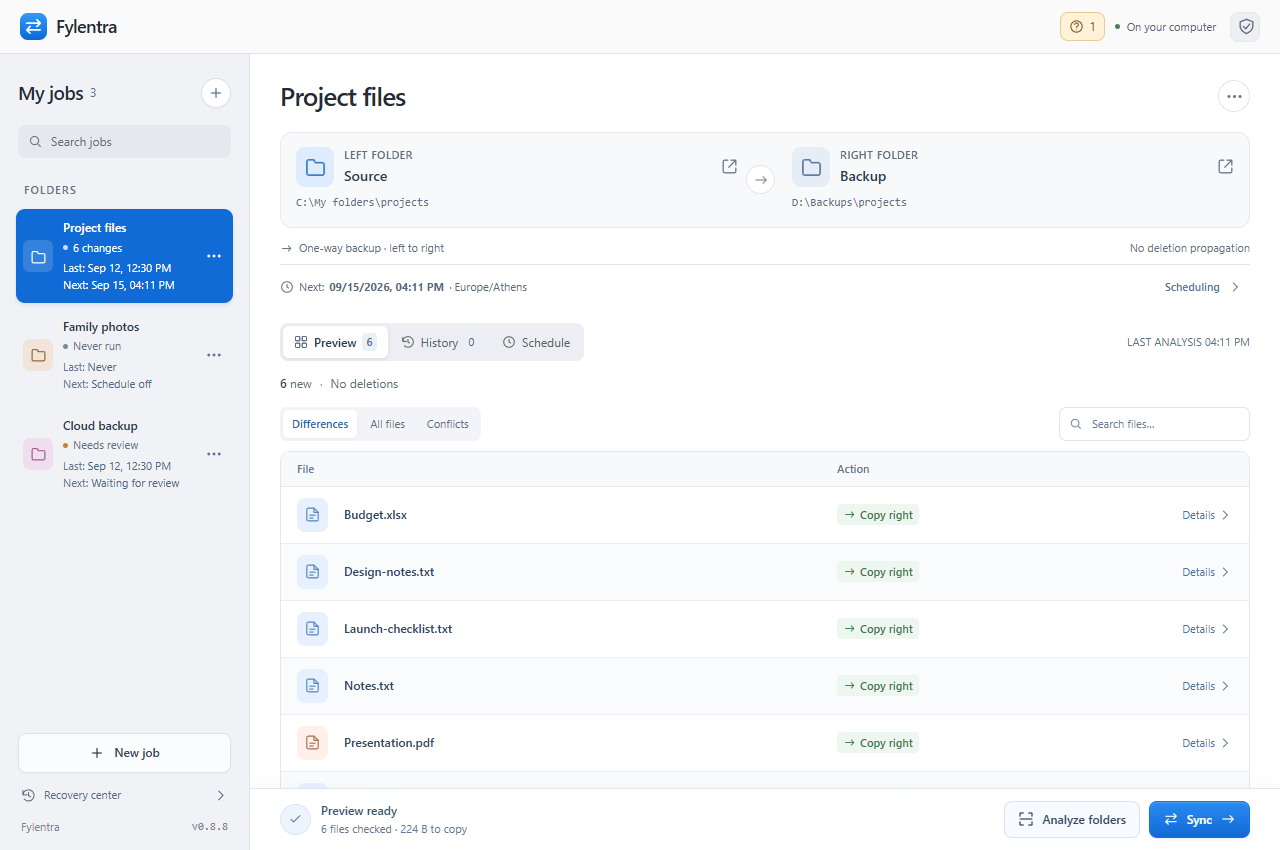
Compare both folders. Review the changes before applying them.
Actual app · Sample foldersLESS GUESSWORK
A clear preview before you sync. A useful history afterward. And a simple overview of every job.
See new, updated and deleted files before a manual sync. When something needs attention, get a clear explanation and the next step.
Previous versions are kept before supported replacements and deletions, for as long as you choose. Reveal recorded files in Explorer or inspect available versions in Recovery center.
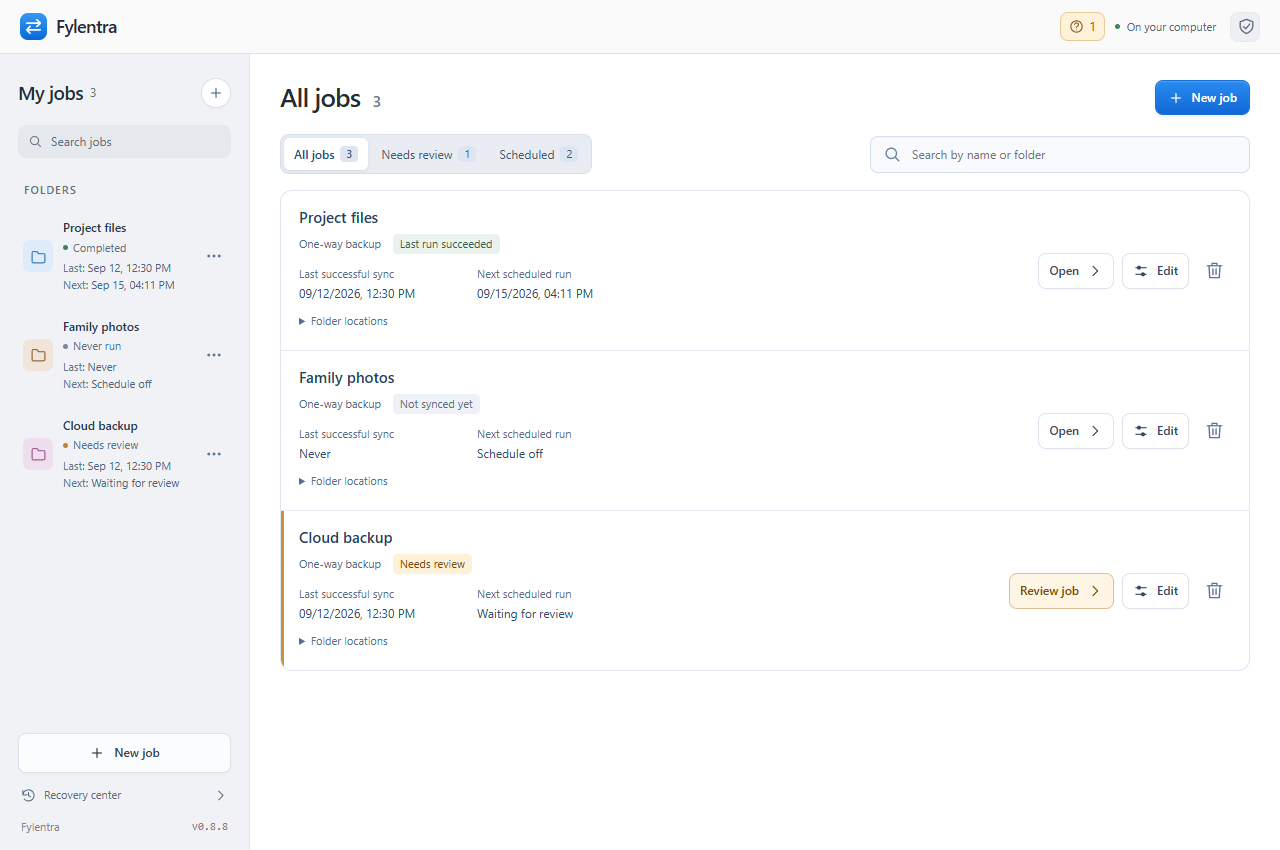
See your last successful sync and the next scheduled run. Filter the jobs that need you. Schedules keep running from the tray while your computer is awake.
FROM SOURCE TO BACKUP
You choose the folders.
Fylentra compares their contents.
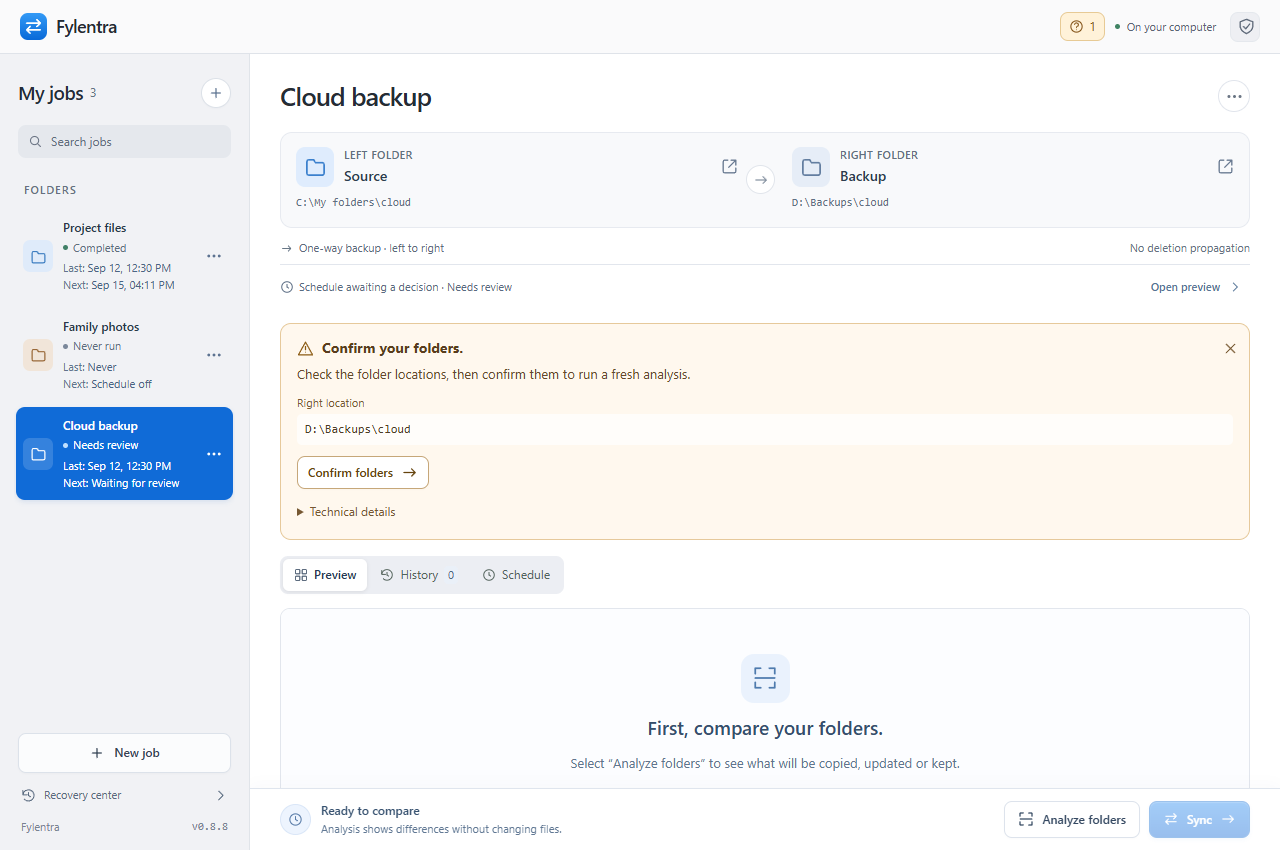
Choose a source folder, destination folder and when to back up. Advanced settings are optional.
Creating the job prepares your first preview without changing files. Review the proposed actions.
Select Sync to approve the first run. Automatic schedules then handle eligible changes, with conflicts and safety checks kept in place.
FylentraBackup: files are copied from the source to the destination.
FYLENTRA 0.13.1
Set up your first pair of folders. Start with a preview, then sync when you are ready.
Download for Windows 64-bitEnglish by default. Switch to Greek in App settings.
SHA-256 checksumWHO MAKES FYLENTRA
Fylentra is made by GIM Agency, a digital agency in Athens, Greece, working with businesses since 2009. We built it because we wanted backups we could check before they change anything.
Questions, problems or ideas? Write to info@gimagency.gr
GOOD TO KNOW
One-way backup transfers changes from the source to the destination. Two-way sync checks for changes on both sides. The preview shows the proposed actions before each manual run.
Local NTFS and exFAT folders are supported; version 0.8.1 was tested on a physical exFAT drive. Version 0.8.9 also checks folder recognition using synthetic folders on Google Drive. This does not validate every cloud-drive condition. FAT32 remains unvalidated. UNC network paths are not supported.
Your files stay in the folders and on the drives you choose. Sync runs locally. Earlier versions are kept in .foldertwin-history. Optional update checks contact fylentra.com for version information; they do not send your jobs or files.
Completed changes may remain after an interruption. Check History or Recovery center before continuing. Select a file name to reveal it in Explorer; deleted files open their nearest available folder. Recovery does not automatically undo every change.
Virtual drives can change a folder's internal identity when they reconnect. Explicit folder confirmation saves an identifier at each location. When the identifier matches at the same location, an automatic schedule continues after fresh verification. Missing identifiers or moved locations still require confirmation. The identifier recognizes folder continuity, not a particular physical disk.
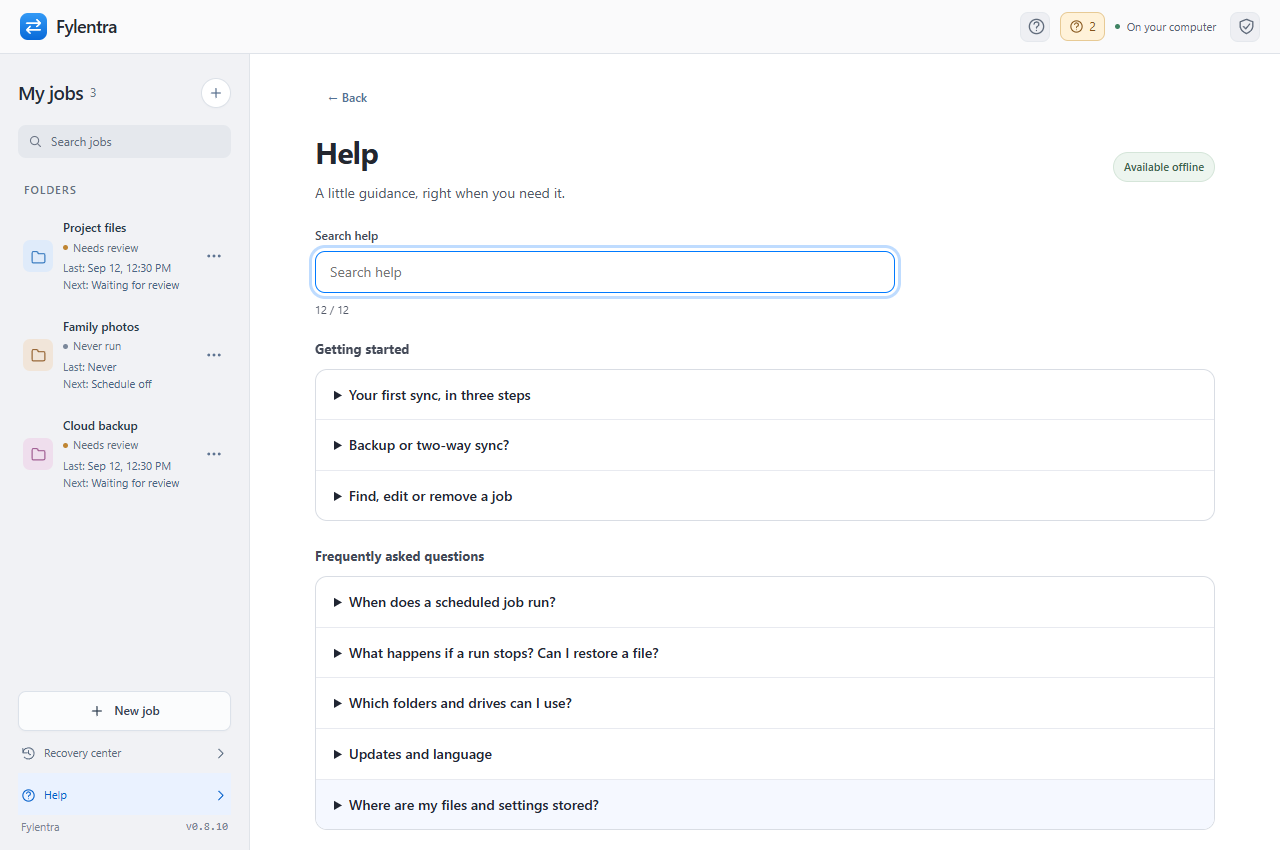
Open Help from the sidebar or press F1. Search the FAQs and troubleshooting topics in English or Greek, without an internet connection. Messages that need attention also link to the relevant help topic.
New backups suggest a daily automatic schedule, shown before creation. The first run still needs preview and Sync. Existing manual or preview schedules keep their settings; the save button clearly states when you are allowing automatic runs. Automatic jobs wait for temporary drive/file availability and still stop for genuine conflicts, suspicious or mass changes, unrecognized folders, interrupted operations and incomplete saves.
No. With Close to tray enabled, closing the window releases its memory while scheduled backups and notifications continue. Opening Fylentra again loads your saved jobs; unsaved preview choices need a fresh analysis. The computer must be awake and the app must remain running in the tray. Choosing Quit stops scheduling.
Quick Analyze compares file details and hashes ambiguous files selectively. Matching size and modification time can be treated as a match without reading content, so differences that preserve both may be missed. Choose Full content check beside Analyze folders to read all eligible files, bypassing the checksum cache. Before sync changes files, affected content is checked and copies are verified.
A scheduled job shows Waiting for drive and retries after 15 seconds, then 30 seconds, then every minute. Its pending time is remembered across app restarts. An automatic job continues after a fresh analysis and saved folder identity checks; preview schedules still ask for approval. Unknown folders, permission errors, conflicts and disconnects after sync begins still need review. Readiness means local folder access, not that Google Drive has finished every cloud upload. Older availability-only reviews can clear automatically when recorded history proves no sync writes began. Other reviews remain protected.
Exclusions apply separately to each job. In that job’s settings, add one pattern per line and save, then run Analyze again. A filename such as _file_state_v4._gs matches at every depth. Quick Analyze and Full content check both skip its contents. Fylentra still lists folders to find other files; from 0.10.3, an excluded file appearing or disappearing no longer invalidates the preview. Check that the rule is saved in every job that includes that location.
This can mean a content change or a change to file details. In 0.10.6, Quick sync can refresh only ctime during preflight when the approved checksum, size, modified date and file ID all match and the path is still a regular, unlinked file. Other stale previews require fresh analysis; automatic schedules can retry twice before writing. Technical details distinguish changed content, matching content, and a missing preview checksum. Preflight checks affected files together instead of reporting one stale file per attempt. After upgrading, analyze again and review any real conflicts before Sync. Runs that began writing are never automatically replayed.
Select Resolve conflicts above Preview. Group by cause/folder or select files across pages. For one-way backup without mirroring, choose Copy source; keep destination extras. This covers the entire preview and replaces previous choices, including reverse copies and deletions. It copies source files toward the destination and accepts extra destination paths in place. Check the totals, prepare the preview, then select Sync. Successful verification clears review when no blocked or skipped files remain. Undo restores recent preview choices before Sync. Two-way sync and mirroring keep their existing choices.
An automatic job found changing files before sync writes began. It retries after 15 seconds, then 30 seconds and then every minute, for up to ten minutes. The pending occurrence survives restart and leaves other jobs free. Each attempt analyzes again and repeats folder, conflict and safety checks. Pause or edit the schedule to cancel waiting. Persistent changes need review after the limit. Manual previews, genuine conflicts, unsafe paths and runs that already began writing retain their usual approval and recovery behavior.
Analysis details shows duration, bytes read, hashing and cache counts, plus fresh and reused directory listings. Quick Analyze can reuse listings while checking every file fresh; uncertain notifications, unavailable watchers and expiry cause fresh enumeration. Full content check and pre-write checks always enumerate fresh. Open Diagnostics from Help or Analysis details to copy runtime versions, timings, I/O and backend memory figures. The report excludes file paths, names, contents and session tokens. Renderer and GPU memory are excluded. Nothing is sent automatically.
The counts refer to paths, not unique contents or a number of confirmed moves. A source folder move can appear at both the old and new paths. Backup without deletion propagation retains old destination paths, even when the same contents exist elsewhere in the source. Rename hints are not proof that every file is identical. The source-copy/keep-extras action retains all extra destination files and acknowledges their locations after verified Sync, so the same accepted paths do not repeat as rename conflicts.
Standard one-way backup without mirroring follows verified source renames and moves automatically, including existing jobs that used the old opt-in flag. No move checkbox is needed. Advanced settings can explicitly keep old backup paths instead. Matching still requires previous shared content, unchanged old destination content and unambiguous source evidence. The new copy is verified before the old path is archived and retired. Independent extras stay, and only old folders left empty are removed. Retired paths count toward the existing safety limit; accepted extras are not retrospectively removed without prior shared evidence. Preview and confirmation list verified moves separately from actual deletions. Large reorganizations can still need explicit approval.
For ordinary backup, choose two folders and when to run. Fylentra suggests a name and uses ready defaults for verified moves, extra files, history and safety. Advanced holds sync mode, mirroring, the keep-old-paths override, preview-only scheduling, custom cron/time zone, exclusions, limits, speed and retention. You can leave it closed. Creation prepares a first preview without writes; select Sync once. The automatic creation/save button and adjacent explanation make recurring behavior explicit. Existing manual and preview schedules are preserved.